
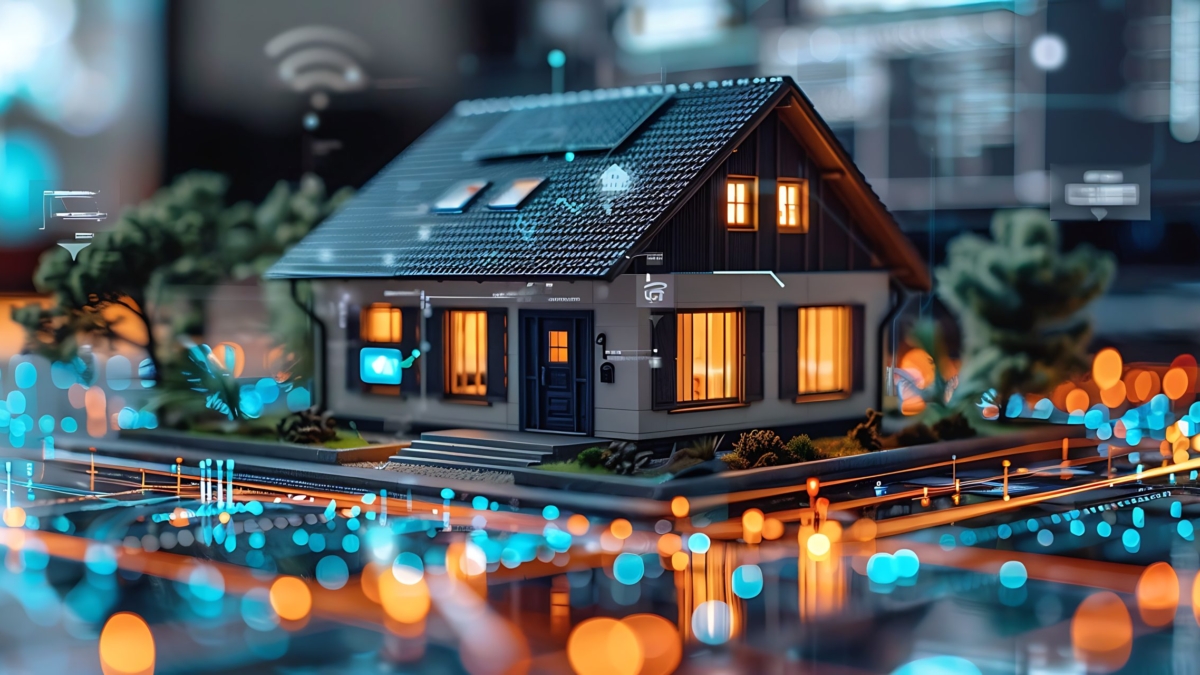
Smart home technology promises an easier life: lights that respond automatically, climate control that adjusts itself, security systems that keep watch, and a house that quietly adapts to the people living in it.
The promise is real.
The problem is that smart homes can become complicated just as quickly as they become convenient.
A light may work perfectly from one phone but confuse everyone else. A voice command may succeed three times out of five. A device may become useless after a manufacturer shuts down its cloud service. An automation may be so complicated that the family eventually stops using it.
That is what a smart home failure often looks like.
It does not necessarily mean every device stops working. More often, the system becomes unreliable, difficult to maintain, or simply too frustrating to be worth the effort.
The difference between a smart home that helps and one that creates more work usually begins long before the first device is installed.
Start With the Home, Not the Gadgets
Smart home products are easy to buy. Planning a smart home takes more thought.
Before choosing a bulb, camera, lock, thermostat, or hub, ask a more important question:
What do you actually want the technology to improve?
Maybe you want better security. Perhaps you want to reduce energy waste, simplify lighting, make an older home easier to manage, or eliminate repetitive tasks.
Those goals should determine the technology—not the other way around.
A useful automation solves a problem that already exists. A door that automatically locks at night can remove a daily worry. Climate control that adjusts itself can make the home more comfortable without constant intervention. Lighting that responds to occupancy can eliminate a small but repeated annoyance.
The best automations often feel almost invisible because they fit naturally into routines that already exist.
Build for Everyone Who Lives There
A smart home can work perfectly for the person who designed it and still fail everyone else.
Think beyond yourself. Family members, children, guests, caregivers, pet sitters, and other regular visitors should be able to use essential parts of the home without needing a tutorial.
Can someone turn on a light without opening an app?
Can a guest unlock the door without creating an account?
Can someone adjust the temperature without understanding your automation platform?
If the answer is no, the system may be smarter than it needs to be.
Smart technology should adapt to the household—not require the household to adapt to the technology.
Choose Your Level of Complexity
Not every home needs a sophisticated automation server, custom dashboards, multiple hubs, and carefully engineered routines.
For some households, a straightforward ecosystem such as Apple Home, Google Home, Amazon Alexa, or a manufacturer’s platform may provide everything necessary.
For others, a more flexible platform such as Home Assistant can offer greater local control and customization.
Neither approach is universally right.
The better question is: How much complexity are you willing to maintain?
A highly customizable system can be rewarding for someone who enjoys troubleshooting and experimenting. For someone who wants to install a few devices and rarely think about them again, the same system may become a source of frustration.
Choose technology that matches your interest, skills, and maintenance tolerance.
Think About the Ecosystem Before You Buy
The first few purchases can quietly determine the future of your smart home.
One smart speaker can lead to compatible lights. Those lights can lead to a particular hub. The hub can influence your choice of locks, thermostats, cameras, and sensors.
Eventually, changing direction becomes expensive.
Before buying a device, consider how it communicates, what platform it depends on, whether it requires the cloud, and whether it can work with other systems.
Standards such as Zigbee, Z-Wave, Thread, and Matter can provide different paths to interoperability, while cloud-dependent products may offer convenience at the cost of greater reliance on an outside service.
You do not have to avoid cloud products or commit to a single protocol.
You simply need to understand what you are depending on.
Your Network Is the Foundation
Many “smart home problems” are actually network problems.
Cameras, speakers, locks, sensors, thermostats, hubs, and appliances all depend on communication. If your network has weak coverage, overloaded equipment, or frequent interruptions, even excellent devices can become unreliable.
And the more devices you add, the more important that foundation becomes.
A network that handles a couple of laptops and a television may behave very differently after you add dozens of smart devices, cameras, streaming systems, and connected appliances.
Think About Coverage, Not Just Speed
A fast Internet plan does not guarantee reliable connectivity throughout the house.
A smart lock at the edge of the property may struggle with a weak signal. A camera in a garage may disconnect. A basement sensor may regularly disappear from the network.
Start by identifying weak areas.
Depending on the home, a well-designed mesh system or wired access points may improve coverage significantly. Router placement also matters. Keeping networking equipment inside a cabinet or at one extreme end of the house can create problems before the system even grows.
Use Wired Connections Where They Make Sense
Wi-Fi is convenient, but not everything needs to be wireless.
Televisions, desktop computers, servers, network equipment, and some cameras can often use Ethernet. Moving appropriate devices to wired connections can reduce wireless congestion and provide more consistent performance.
For larger homes, wired connections between access points can also provide a more stable foundation than relying entirely on wireless mesh communication.
You do not need Ethernet everywhere.
You just need enough of it in the right places.
Plan for Growth
Smart homes rarely stay the same size.
A few devices become ten. Ten become thirty. Then come cameras, smart appliances, energy monitors, outdoor sensors, and whatever technology appears next.
Your network should have room to grow.
Consider available ports, wireless capacity, access-point expansion, power requirements, and whether important devices can be separated from personal computers and phones.
Simple organization also matters. Clear device names, sensible network structure, and basic documentation can save significant time when something eventually stops working.
Design for Failure
Every smart home will eventually experience a failed device, dead battery, power interruption, network problem, or unavailable cloud service.
Reliability comes from expecting those failures instead of assuming they will never happen.
A smart home should fail gracefully.
Lights should still have a usable physical control. Doors should have a dependable way to unlock. Heating and cooling should continue operating safely if an automation platform goes offline.
The goal is not to eliminate every possible failure.
It is to make sure one failure does not take down everything else.
Protect the Infrastructure That Matters
A smart bulb going offline is inconvenient.
A router, network switch, automation server, security system, or camera system going offline can affect the entire house.
That is why critical infrastructure deserves more attention than individual gadgets.
Backup power can be particularly useful for networking equipment. A suitable uninterruptible power supply can keep essential equipment running through short outages and give systems time to shut down safely during longer ones.
The right setup depends on the equipment involved. Small network devices may need only modest backup capacity, while servers and other power-hungry equipment require a different approach.
The principle is simple: protect the components that everything else depends on.
Prepare for Internet Outages
Power and Internet failures are not the same thing.
Your home can have electricity while the Internet connection is unavailable because of an equipment failure, provider outage, damaged infrastructure, or another disruption.
Cloud-dependent devices may lose remote access or certain features. Local devices and automations may continue working, depending on how they were designed.
For households where connectivity is particularly important, a secondary connection such as cellular Internet can provide another layer of resilience.
But not everyone needs one.
Start by identifying what actually needs to remain available. Maybe it is security monitoring. Maybe it is remote work. Maybe you simply want basic communication during an outage.
Once you know the priority, you can decide whether additional backup connectivity is worth the cost and complexity.
Test Your Backups
Backup equipment only helps if it works when you need it.
Occasionally test your UPS, backup Internet connection, and critical devices. Make sure equipment stays online when primary power is removed. Check whether devices reconnect properly when power returns. Confirm that important automations restart as expected.
Testing often reveals hidden dependencies.
A router may have backup power while another piece of networking equipment does not. A camera may record locally but depend on an unprotected switch. An automation server may remain online while the wireless network it depends on goes down.
You do not need to test everything constantly.
A periodic review is enough to expose many problems before an actual outage does.
Be Careful With Cloud Dependence
Cloud services make smart homes easier to set up. They provide remote access, notifications, voice control, synchronization, and automatic updates.
They also create dependencies.
A product may stop working properly if the manufacturer changes its service, introduces a subscription, experiences an outage, or discontinues the platform entirely.
Local control can reduce some of those risks.
When an automation or device can continue working inside the home without contacting an external server, an Internet outage becomes less disruptive.
That does not mean every device needs local control. Cloud services can provide useful features and convenience.
The important question is what happens if the service disappears tomorrow.
Keep Important Functions Working Offline
For critical systems such as security, access, lighting, and climate control, consider what should happen when the Internet is unavailable.
A smart lock should not become useless because a cloud server is temporarily offline. A thermostat should still provide basic temperature control. A security system should retain essential functionality even when remote access disappears.
The more important the function, the more valuable a local fallback becomes.
Keep Manual Controls
One of the simplest forms of smart-home resilience is also one of the easiest to overlook.
Keep ordinary controls wherever practical.
A wall switch should still control a light. A physical key should still provide a way into the home. A thermostat should remain usable without a phone.
Automation should add convenience, not remove basic functionality.
This makes the home easier for guests and family members to use—and much easier to troubleshoot when something goes wrong.
Build Security Into the System
Every connected device creates another potential entry point, account, network connection, or source of personal data.
Security should therefore be part of the original design rather than an afterthought.
Use unique passwords and multi-factor authentication where available. Keep devices and platforms updated. Remove accounts you no longer need. Review permissions and limit access to information that a device does not actually require.
Network segmentation can also help isolate smart devices from computers, phones, and sensitive storage systems.
But complexity has a cost.
A security setup that is so complicated that nobody understands how it works can create its own problems. Aim for protections you can maintain and explain.
Think About Privacy, Too
Smart homes can reveal surprisingly detailed information about daily life.
Cameras can capture movement. Smart locks can record access. Sensors can reveal occupancy patterns. Energy monitors can expose household routines.
Before installing a device, consider where its data goes, how long it is stored, and who can access it.
Turn off features you do not need and avoid giving devices unnecessary permissions.
The most useful smart home is not the one that collects the most information. It is the one that collects enough information to provide meaningful functionality while respecting the household’s privacy.
Automation Should Reduce Work
There is a simple test for any automation:
Does it make life easier?
If a routine saves you time, prevents a common mistake, or removes a repeated annoyance, it probably has value.
If it exists mainly because the technology makes it possible, reconsider it.
A smart home can become a collection of clever tricks that nobody actually needs. Over time, those tricks create more rules, more notifications, and more opportunities for something to break.
Start with real problems.
Do people forget to lock the door? Automate it.
Is a hallway too dark at night? Add motion-based lighting.
Does the thermostat get adjusted constantly? Create a schedule that matches the household’s routine.
The best automation is often the one nobody thinks about.
Don’t Drown the Household in Notifications
A notification should usually answer one question:
Does someone need to do something?
A water leak? Yes.
An unexpected door opening? Possibly.
A light turning on according to its normal schedule? Probably not.
When every device sends alerts, important warnings become easier to ignore.
Review notifications periodically and remove anything that does not require attention. A quieter system is often a more useful system.
Make the Home Work for Everyone
A smart home should accommodate different levels of technical comfort.
Not everyone wants to use voice assistants. Not everyone wants another app. Not everyone cares how an automation works.
That is fine.
Automatic lighting, simplified controls, dependable locks, straightforward thermostats, and useful reminders can benefit people without requiring them to understand the technology behind them.
The best design principle is simple:
People should live in the home. They should not have to manage the home as if it were a technology project.
Maintenance Is Part of the Design
No connected system is completely maintenance-free.
Batteries run out. Firmware changes. Devices fail. Cloud services evolve. Automations stop making sense as household routines change.
Ignoring these small issues allows them to accumulate until the entire system begins to feel unreliable.
A little maintenance prevents that.
Know What You Own
Keep a simple inventory of important devices.
Record:
- What the device is
- Where it is installed
- Which platform controls it
- How it connects
- What batteries it uses
- Which account manages it
- Which automations depend on it
You do not need a complicated database.
You just need enough information to avoid asking yourself, “What exactly is this thing connected to?” two years from now.
Give Devices Clear Names
“Sensor 14” may make sense during installation.
“Basement Utility Room Motion Sensor” will make much more sense when you are troubleshooting the system later.
Consistent naming makes dashboards, automations, and troubleshooting considerably easier.
Keep Batteries in Check
Battery-powered sensors, locks, remotes, and buttons are easy to forget precisely because they may work for months or years.
Enable low-battery alerts where possible and periodically check critical devices.
Keeping a small supply of commonly used batteries on hand can also turn an annoying failure into a five-minute fix.
Keep Software Updated
Routers, hubs, cameras, controllers, and individual devices all receive software updates.
Updates can improve security, compatibility, and reliability, although major changes should still be approached thoughtfully in complex systems.
Maintain a regular update routine and keep backups where your platform supports them.
Remove What You No Longer Need
Smart homes tend to accumulate abandoned devices and forgotten automations.
An old sensor remains connected. A retired camera still has an account. An automation triggers a device that no longer exists.
Periodic cleanup reduces complexity and makes the system easier to understand.
Leave Room for the Future
No one knows exactly what smart home technology will look like several years from now.
You can, however, avoid making future changes unnecessarily difficult.
Whenever practical, choose products that support common standards, local operation, multiple ecosystems, or replaceable components.
Plan enough network capacity for additional devices. Leave physical and electrical room for expansion where appropriate.
And avoid making one device or cloud service responsible for everything.
A modular home is easier to upgrade than a tightly interconnected one.
Build Slowly
You do not need to automate the entire house in one weekend.
In fact, gradual expansion is often the better approach.
Start with one meaningful problem. Choose a device that solves it. Live with the setup for a while.
Did your family actually use it?
Did it create new problems?
Did the automation make life easier?
Those answers should influence what you buy next.
A small mistake is easy to replace. A large collection of incompatible devices is not.
The Principles That Matter Most
After all the devices, standards, networks, hubs, and automations are considered, smart-home design comes back to a few basic ideas.
Solve real problems.
Technology should have a purpose beyond being impressive.
Prioritize reliability.
A simple device that works consistently is often more valuable than one packed with features.
Keep automation invisible.
The best routines reduce effort instead of creating another system to manage.
Preserve manual control.
Important functions should remain usable when technology fails.
Use local control where it matters.
Critical systems benefit from fewer external dependencies.
Build security and privacy into the foundation.
Connected convenience should not require unnecessary exposure.
Keep the experience simple.
The technology behind the scenes can be sophisticated. The household experience should not have to be.
Maintain what you build.
A smart home is a living system, not a one-time installation.
The Smartest Home May Be the One You Barely Notice
Smart homes rarely fail all at once.
More often, they become frustrating one small problem at a time.
A device needs another app. Wi-Fi becomes unreliable. A battery dies. An automation stops working. A cloud service changes. Notifications become overwhelming. Eventually, the household stops trusting the technology.
Good planning can prevent many of those problems.
A reliable network gives devices a strong foundation. Backup power and connectivity make the system more resilient. Local functionality provides independence from outside services. Manual controls keep essential functions available. Regular maintenance prevents small problems from becoming systemic ones.
And thoughtful automation makes technology disappear into the background.
That is ultimately what a successful smart home should do.
It should not demand attention.
It should quietly make the home safer, more comfortable, more efficient, and easier to live in—while still working like an ordinary home when the technology inevitably has a bad day.